Sound like you?
“I promised something and forgot.”
Every commitment, with the moment you made it.
What you owe and what others owe you, each linked to the conversation where it was said.
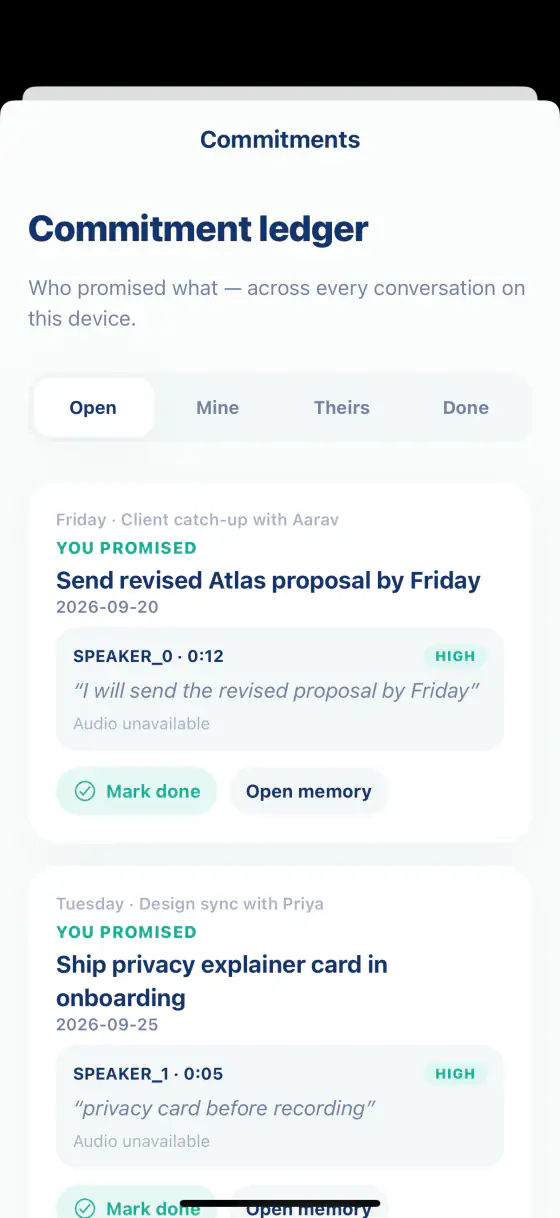
Commitments
For back-to-back client conversations
Memory AI remembers what was promised, decided and asked in your client conversations, in person or on Google Meet, so you can listen instead of taking notes. No meeting bot. Memories stay on your phone.
Early access for Android · 5,000 free tokens to start.
By joining, you agree to receive Memory AI early-access updates. No account needed.
The first 15 members get a setup call with the founder.
See it in 20 seconds Watch the demo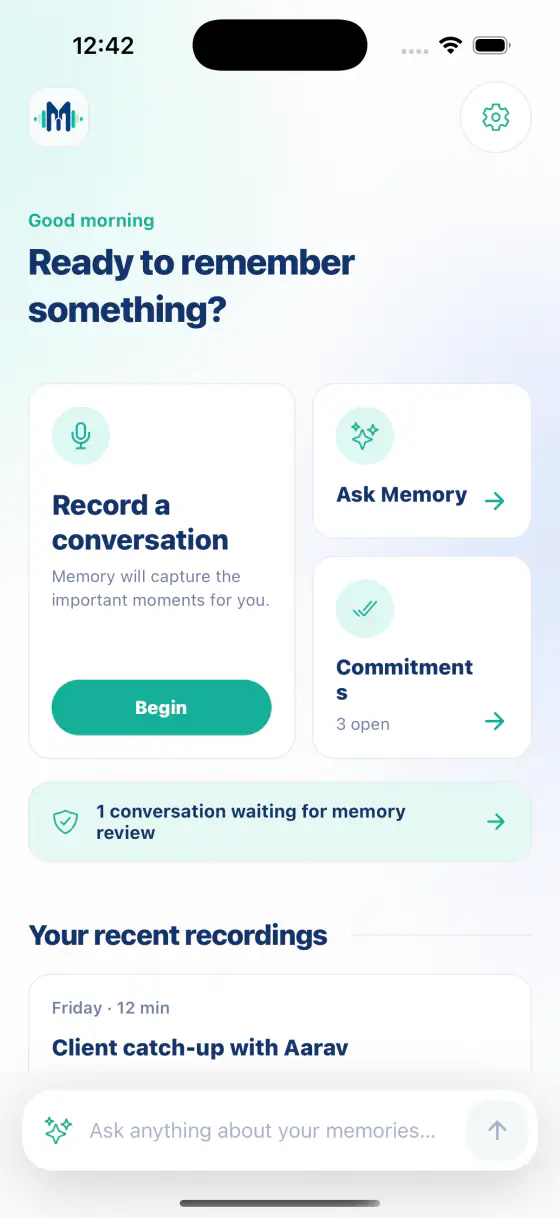
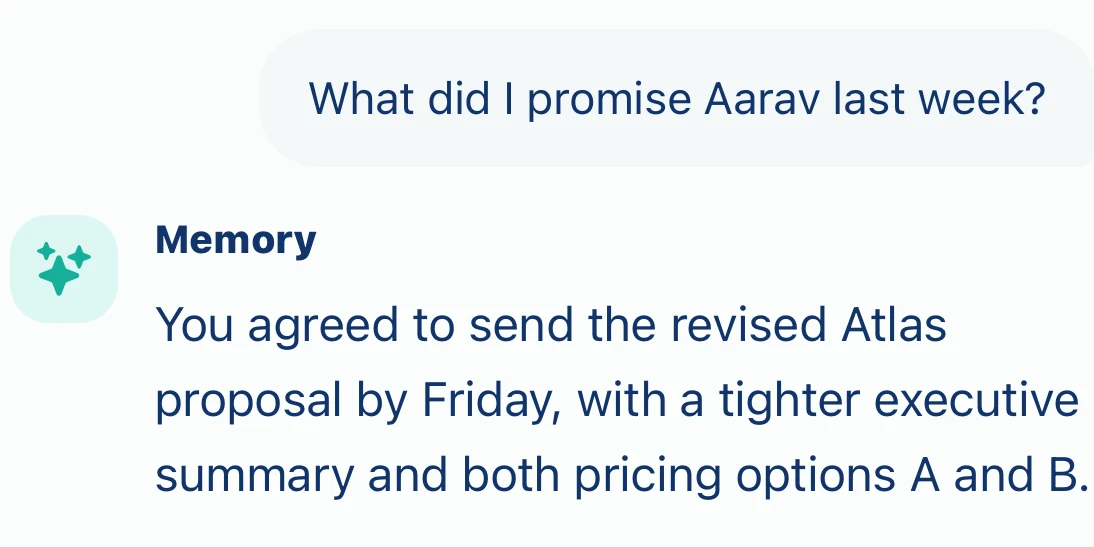
What did I promise Aarav last week?
You agreed to send the revised Atlas proposal by Friday, with a tighter executive summary and both pricing options.
Client catch-up with Aarav · Friday
Sound familiar?
You were listening, not transcribing. Now the budget number, the deadline and the thing you promised are slipping away.
Notes mid-call cost you the conversation. Notes afterwards miss the details.
One-to-ones are the hardest. The coffee with a client, the site visit, the quick chat after the pitch: no bot, no shared minutes, only two memories. That’s often where the real commitments are made.
How it works
Twenty seconds, real app screens.
What changes
What you say today is still there when a client asks tomorrow.
“I promised something and forgot.”
What you owe and what others owe you, each linked to the conversation where it was said.
“We remember the decision differently.”
Ask about one conversation or across saved memories, and follow supporting references back to what was said.
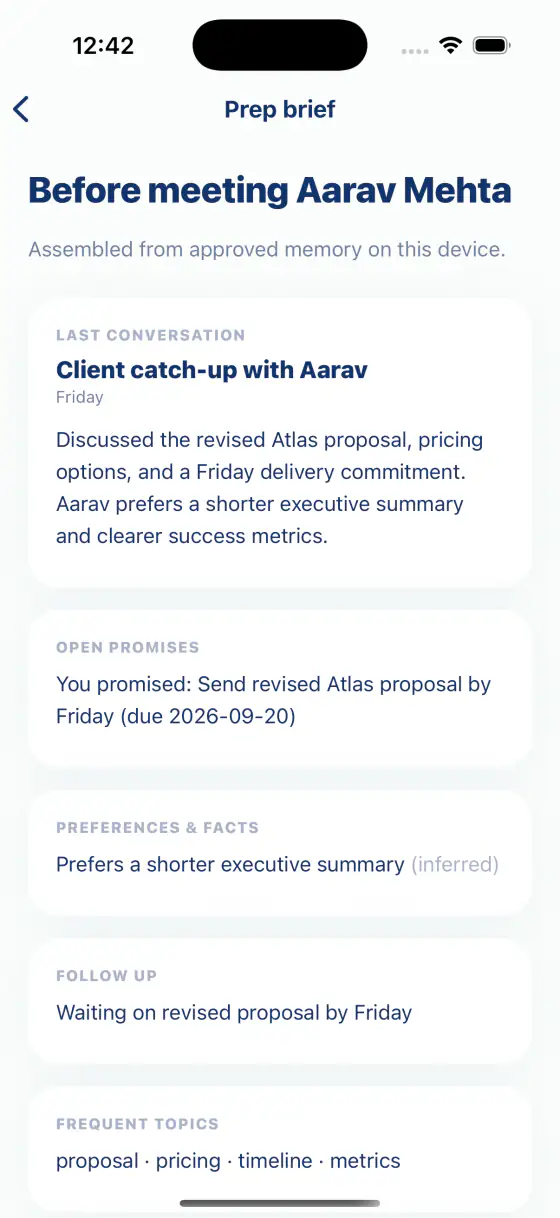
“I walk into calls without context.”
The last conversation, open commitments and the details that matter, gathered into one preparation view.
Sound like you? Join early access and start with 5,000 free tokens.
Join early accessThe obvious question
No bot joins the conversation. Audio is deleted from our servers as soon as it’s processed, and your memories are stored only on your phone.
Transcription and AI run on cloud services while a recording or Meet transcript is processed.
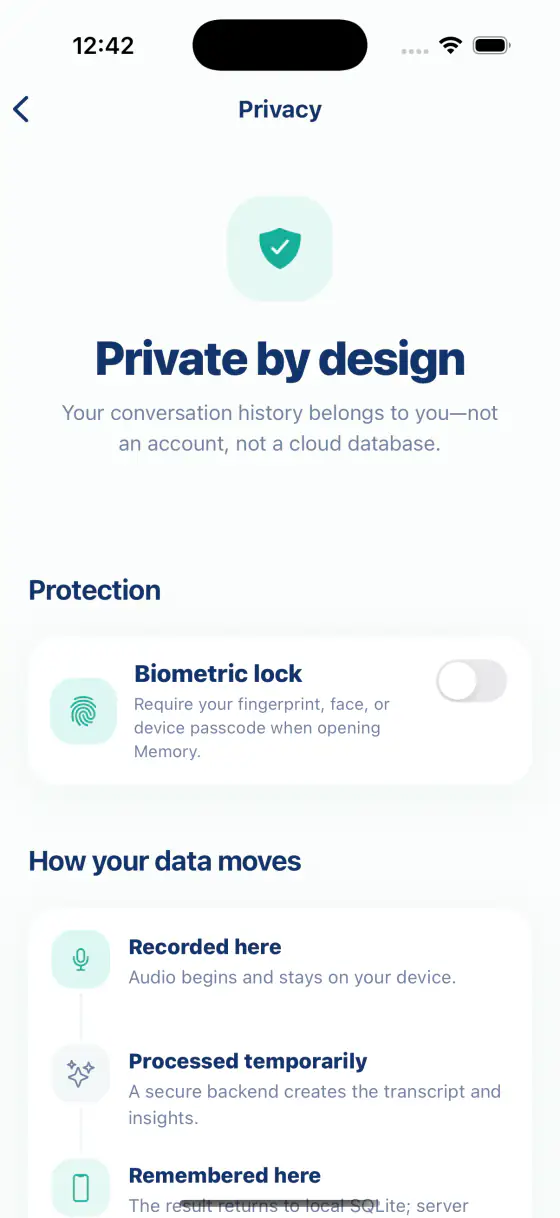
Approve, correct or reject details. Replay supporting audio when retained.
Use biometric access. This does not add database encryption.
Export a memory as Markdown, including its transcript and notes.
Remove recordings, individual memories or all local data.
Cloud backup is optional and off by default. It covers folders and your profile; recordings and transcripts stay on your phone, so removing app data can remove your local memories.
Before you ask
No. In person, Memory AI records from your phone, which makes it a fit for one-to-one conversations. For Google Meet calls, connect your Google Calendar and import the meeting’s transcript afterwards. Nothing joins the call.
Google Meet, for now. Meet saves transcripts only on Google Workspace plans with transcription turned on, and a transcript can be imported for 30 days after the meeting. Calendar access is read-only; Memory AI never changes your calendar.
Yes. Transcripts come in the original, a cleaned-up version and Roman Hinglish.
The recording waits safely on your device and finishes processing when it can.
On your phone. Audio and imported Meet transcripts go to cloud services for transcription and AI, and are deleted from our servers as soon as processing finishes. The result waits briefly until your phone collects it. Cloud backup is optional and off by default: it saves your folders and profile to your account, while recordings and transcripts stay on your phone. Clearing the app’s data removes anything that isn’t backed up.
Not yet. Memory AI is an Android app right now.
You pay for what you use. Sign in with Google and your account starts with 5,000 free tokens. Each conversation uses tokens based on its length, and you can top up with a prepaid pack whenever you need more. No subscription.
Yes. Always ask before you record a conversation.
It’s in early access on Android. Join the list and we’ll email you personally when your spot opens.
Google Calendar and Meet transcript import, folders to group memories by client, and optional cloud backup for those folders.
Your next client conversation
Join early access on Android and be among the first to try Memory AI with your clients.
Early access for Android · 5,000 free tokens to start.
By joining, you agree to receive Memory AI early-access updates. No account needed.