
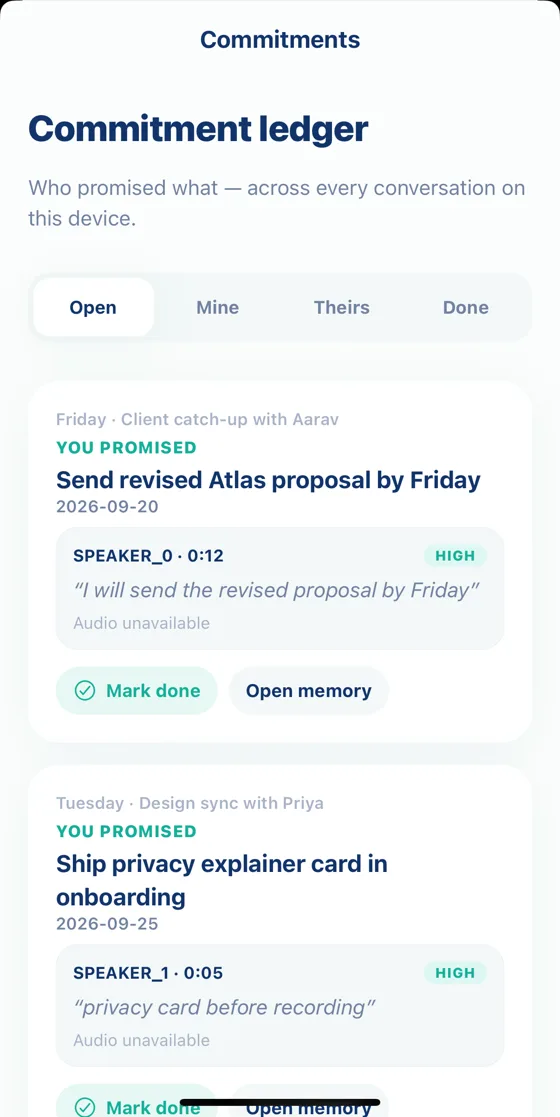
Every promise, with the moment it was made.
For iOS and Android · 5,000 free tokens to start
Product sync on Google Meet
Client meeting, recorded on your phone
Memory
X + Y
Send the revised proposal by Friday
Go with pricing option B
Aarav · 2 things still open
“What did we agree on pricing?”
How it works
Import a Google Meet transcript, or record in person from your phone. No bot joins.
AI picks out promises, decisions and details. You approve what’s saved.
Ask in plain words, or open a brief before you meet again.
What you get
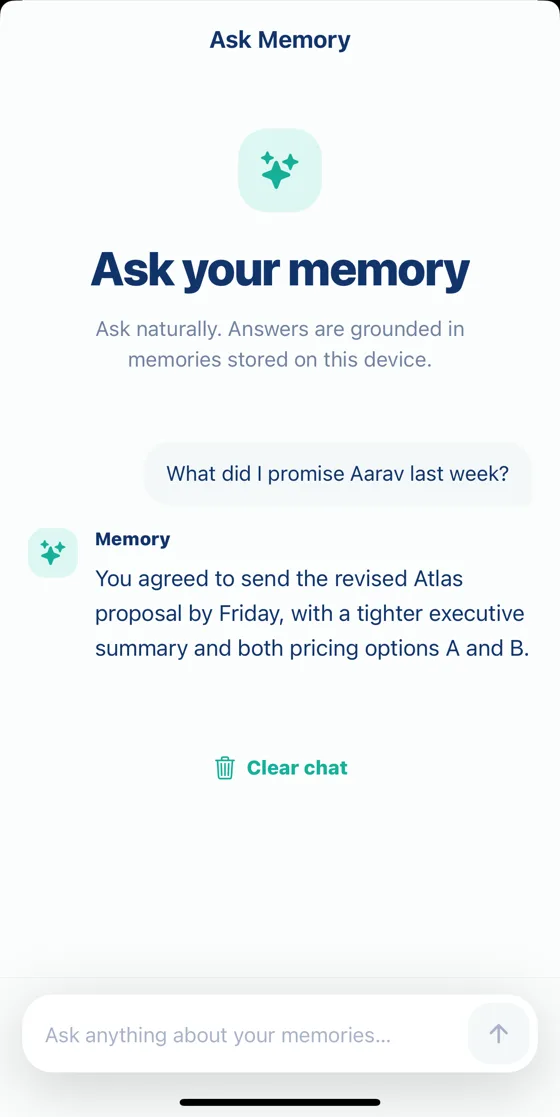
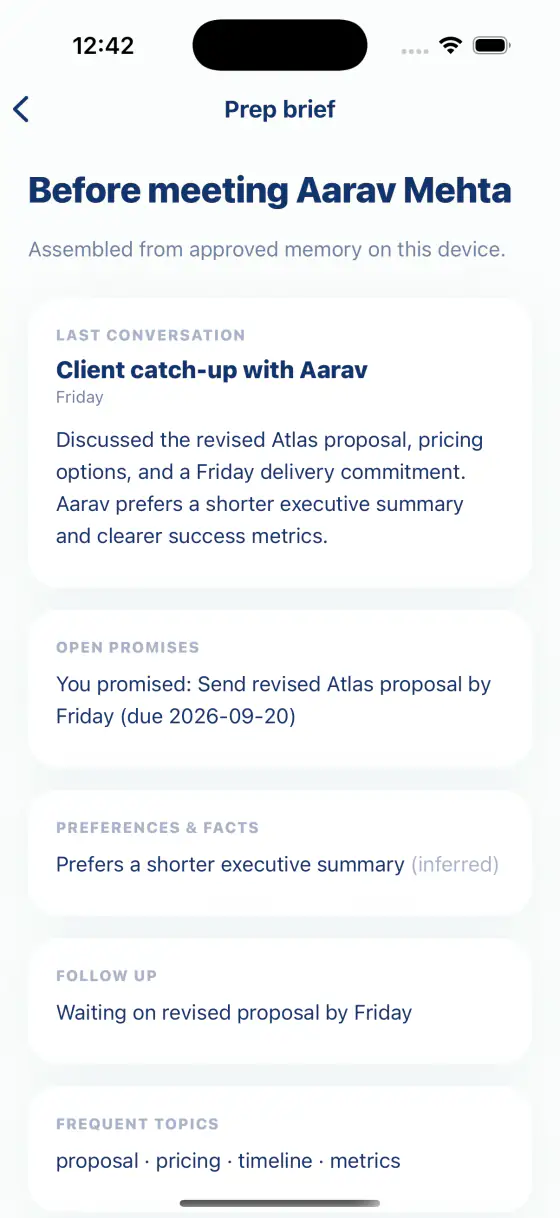
Real app screens, sample data.
See it in the app
Privacy
FAQ
No. In person, Memory AI records from your phone. For Google Meet, connect your calendar and import the meeting’s transcript afterwards. Nothing joins the call.
Google Meet, for now. Meet saves transcripts on Google Workspace plans with transcription turned on, and a transcript can be imported for 30 days after the meeting.
On your phone. Audio and imported transcripts go to cloud services for transcription and AI, and are deleted from our servers as soon as processing finishes.
You pay for what you use. Your account starts with 5,000 free tokens, and you can top up with a prepaid pack. No subscription.
Join early access and be first to try Memory AI.
For iOS and Android · 5,000 free tokens to start